From the first screen

Wiki

Every version, from today back to the first empty window: what it brought, and Fotollection as it shipped, taken from the project's history.

Go to the first screen · v0.1.0-beta.1

  1. v0.14

    Looks1

    • One tap gives a photo a colour: looks of our own, your Lightroom presets and LUTs, a Color Mixer and Dehaze.
    • A look for many photos at once; thumbnails show each photo's colour.
    • Move to another computer with one file; a part that fails no longer takes Fotollection down.
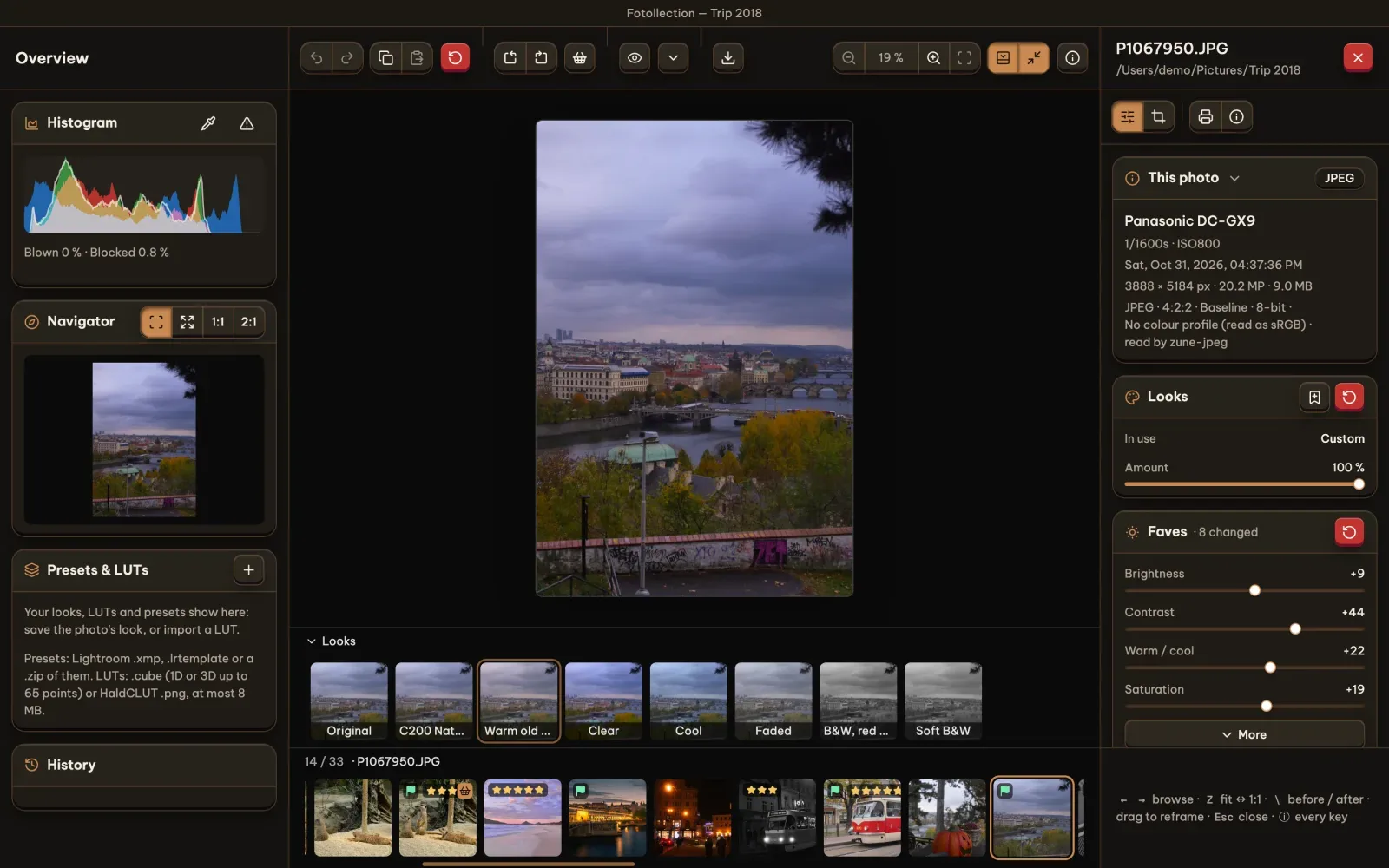
    v0.14.0: looks under the photo, Presets & LUTs on the left
    v0.14.0: looks under the photo, Presets & LUTs on the left
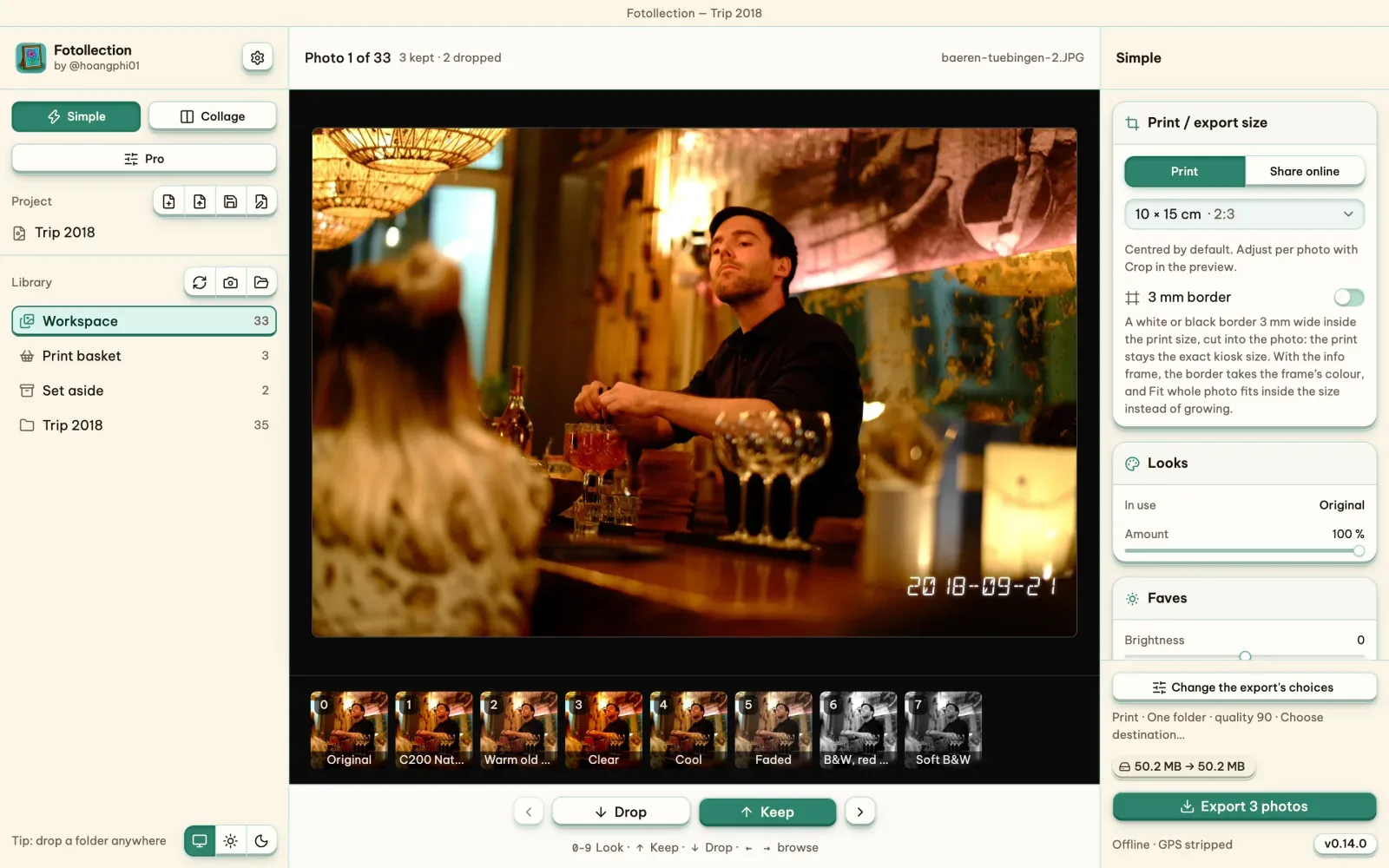
    v0.14.0: Simple mode's numbered looks
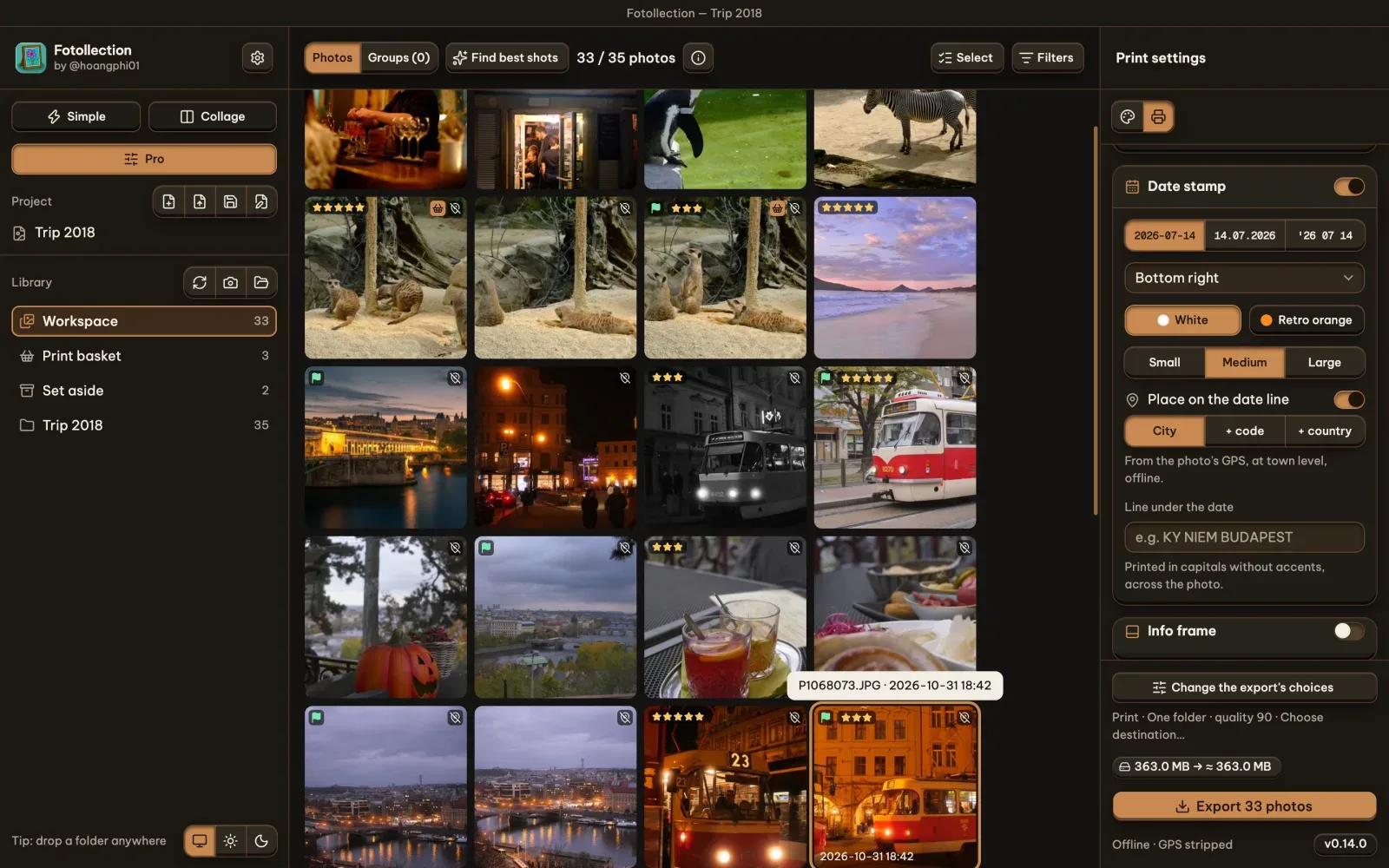
    v0.14.0: Simple mode's numbered looks
    v0.14.0: thumbnails in their colours
    v0.14.0: thumbnails in their colours
  2. v0.13

    The interface

    • Controls with depth, the Be Vietnam Pro font, one panel width.
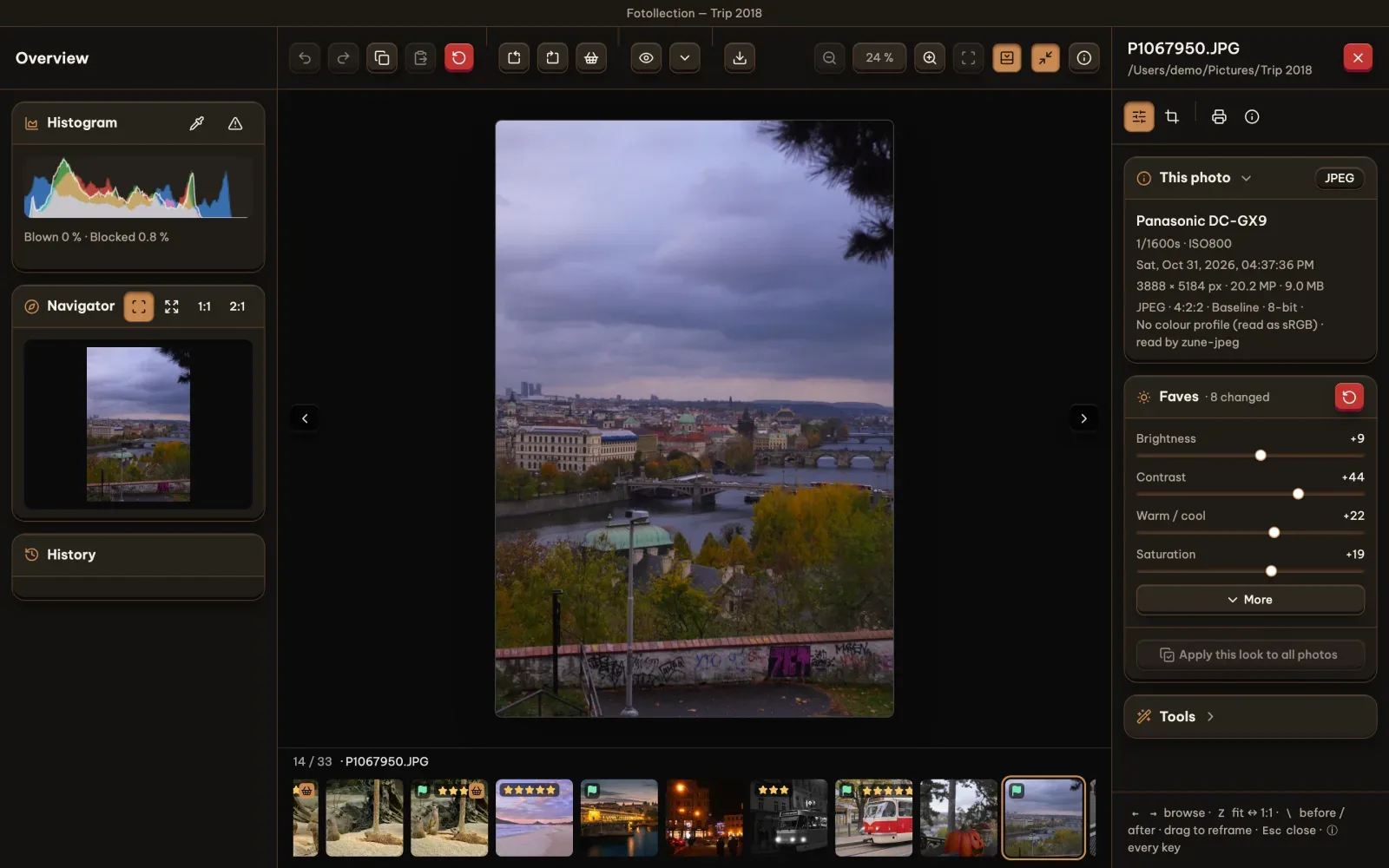
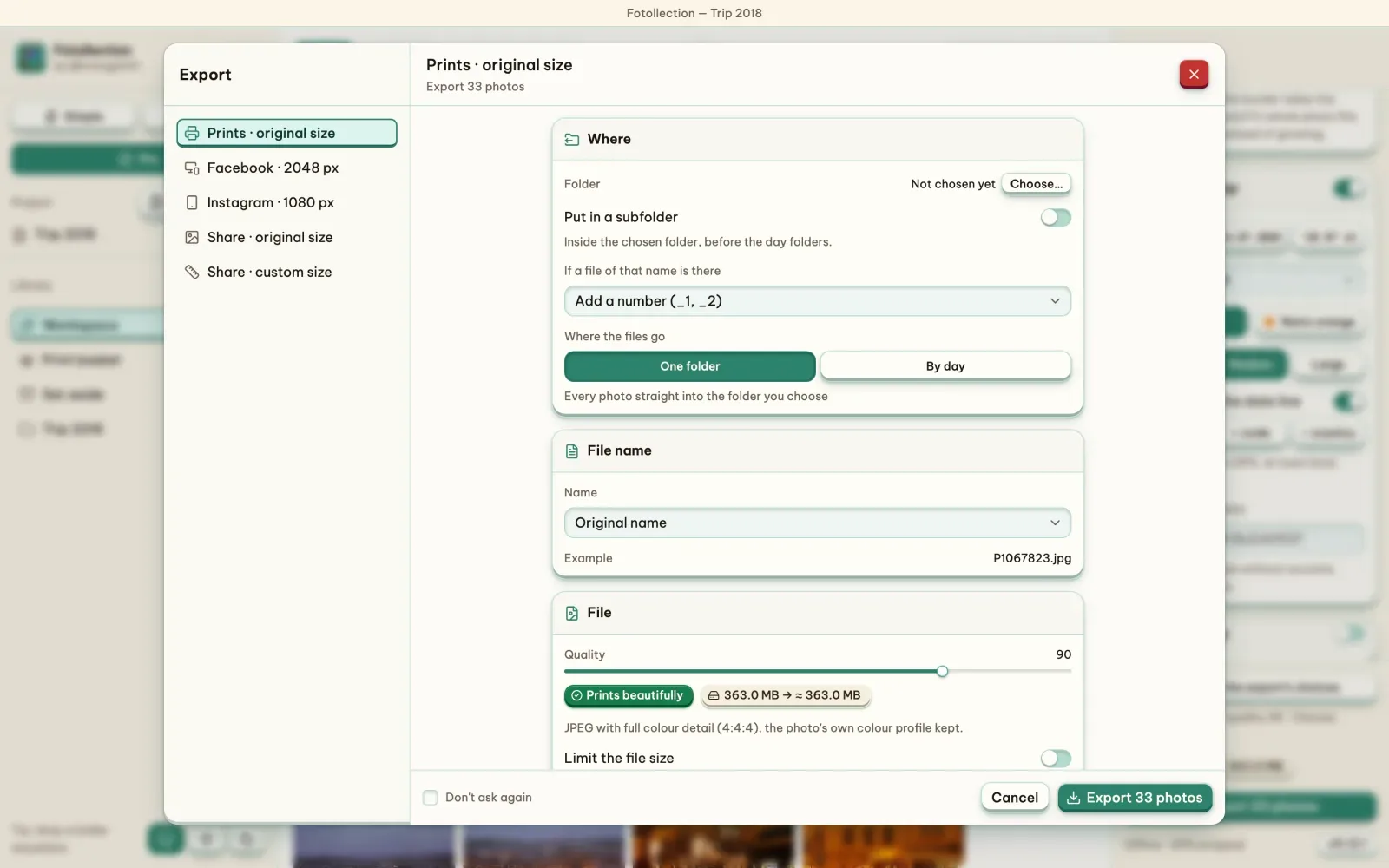
    • An export dialog as Lightroom's; a full-window develop view with the Navigator, History and a histogram.
    • A welcome on the first launch, and the manual inside Fotollection.
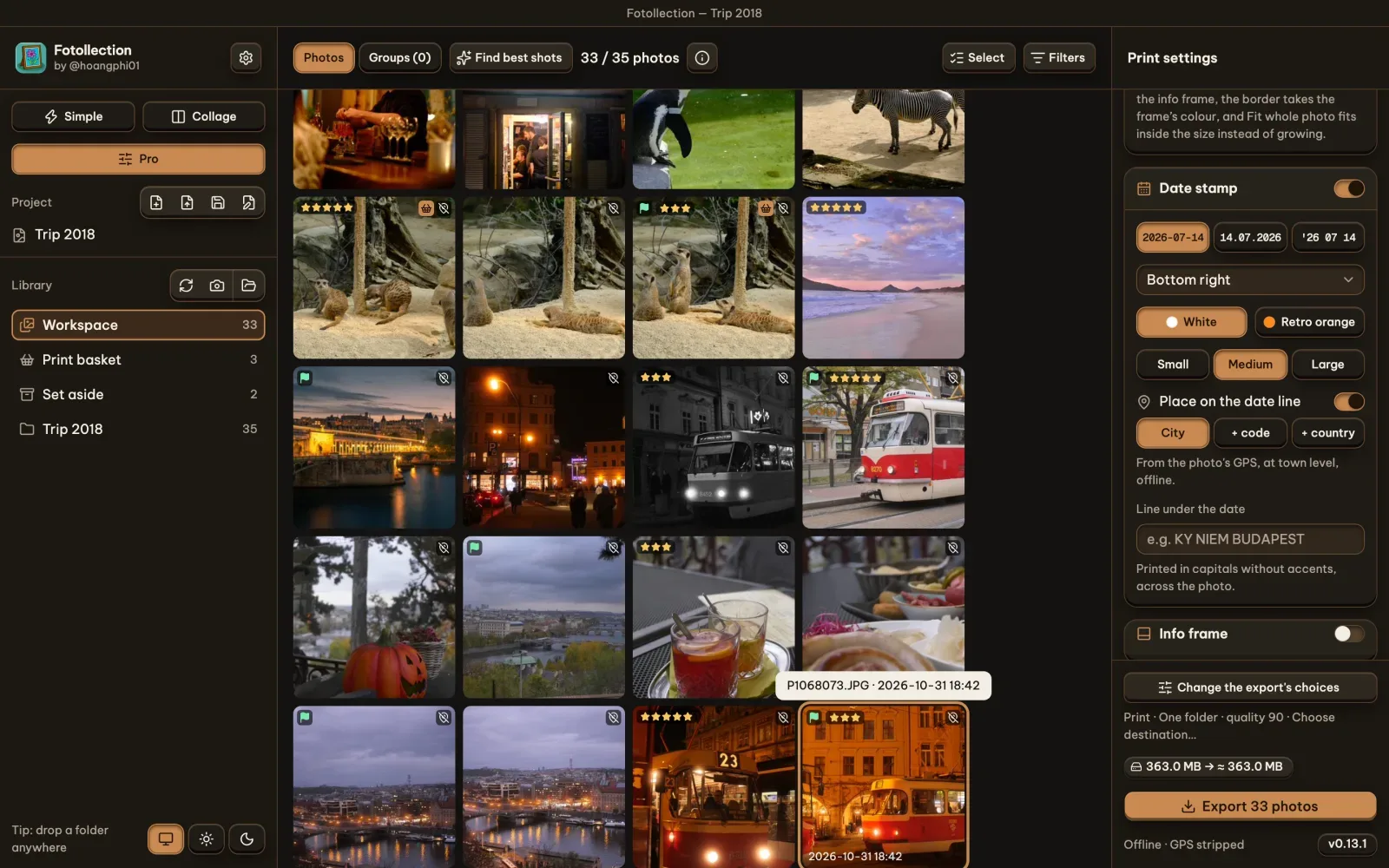
    v0.13.4: the new look
    v0.13.4: the new look
    v0.13.4: the full-window develop view
    v0.13.4: the full-window develop view
    v0.13.4: the export dialog
    v0.13.4: the export dialog
  3. v0.12

    Settings and Develop

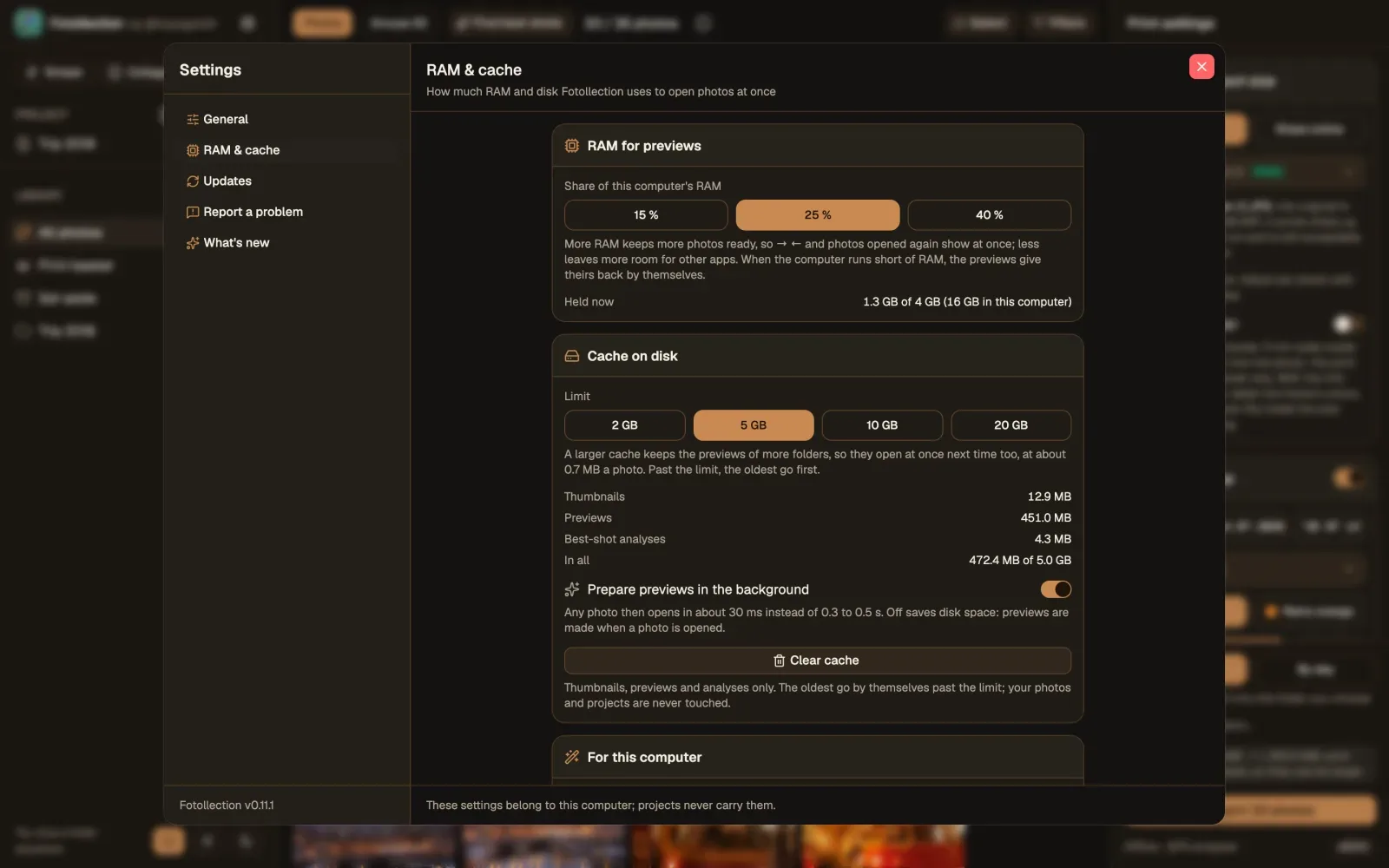
    • One Settings window in two columns, as on an iPad, with the memory and the cache to manage.
    • A develop view a Lightroom user can read: one toolbar above the photo, Lightroom's keys, Before and After.
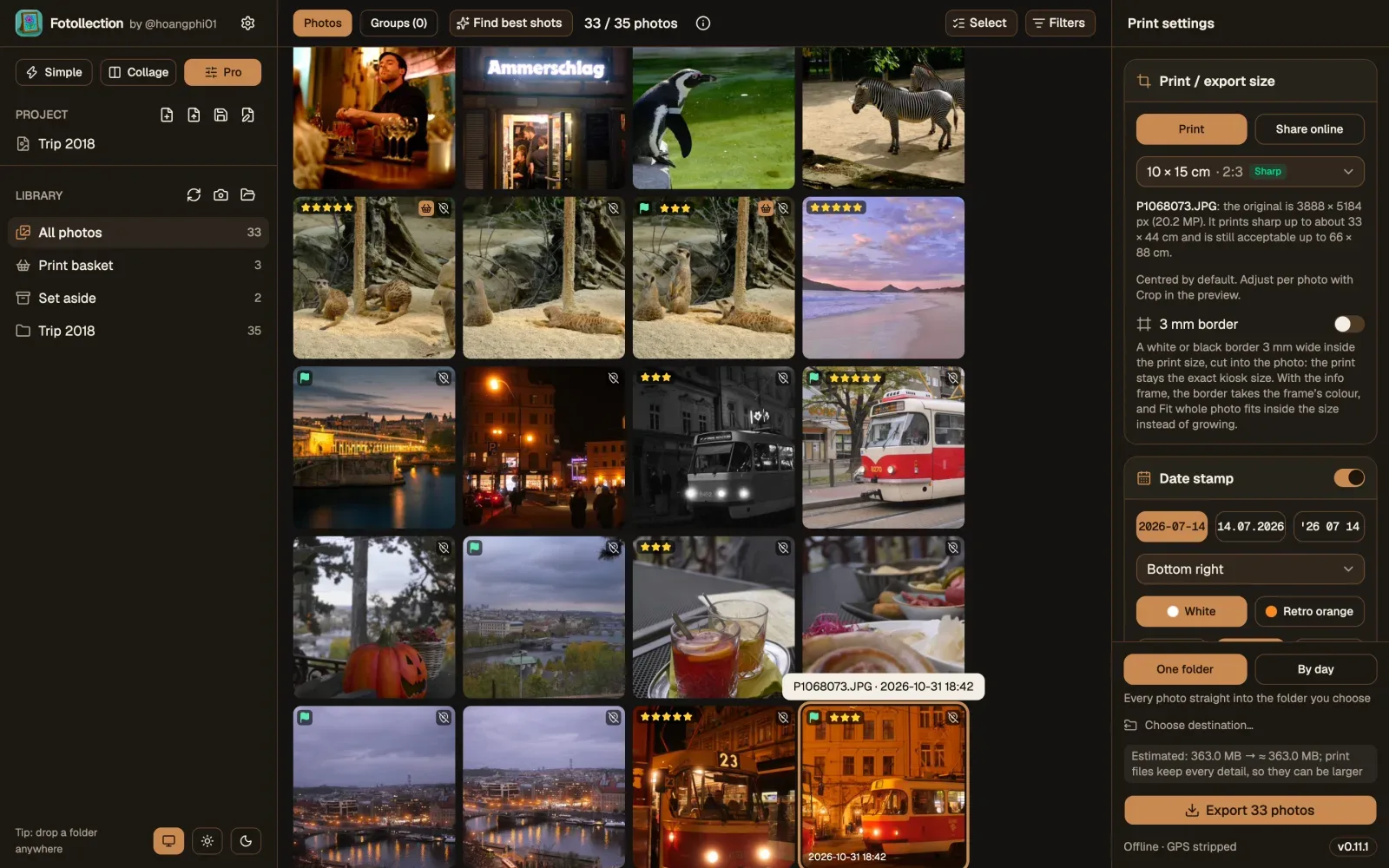
    v0.12.0: the gallery
    v0.12.0: the gallery
    v0.12.0: the new Settings window
    v0.12.0: the new Settings window
  4. v0.11

    Instant previews

    • Standard previews kept on disk and a quarter of the memory for the photo on screen.
    • Any photo opens in 27 ms, where it took 274 to 531 ms.

    The look stayed as in 0.9; what changed is inside, drawn here.
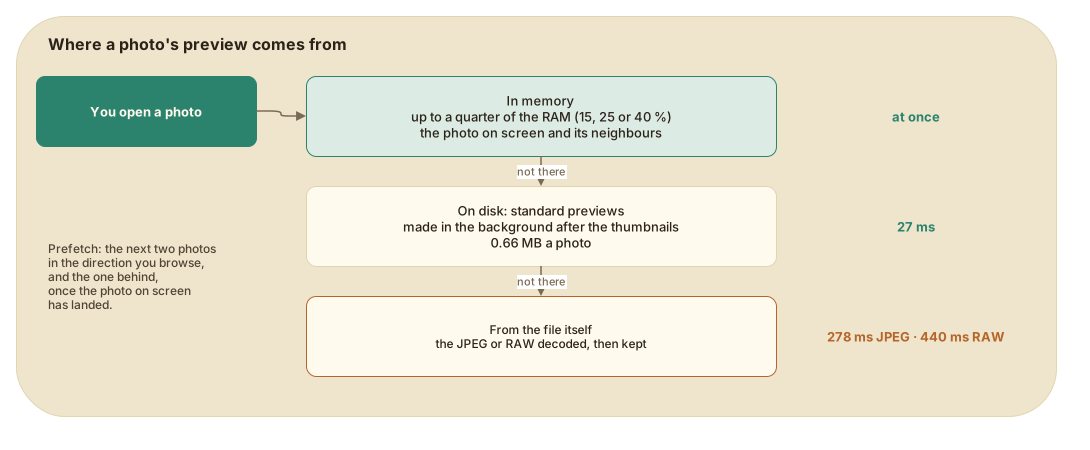
    Where a photo's preview comes from: memory, then disk, then the file
    Where a photo's preview comes from: memory, then disk, then the file
  5. v0.10

    Core

    • Our own RAW develop for every Bayer camera, written in Rust: neutral colour by default, the camera's look in one click.
    • Sliders work in linear light on RAW, with headroom above white.

    The look stayed as in 0.9; what changed is inside, drawn here.
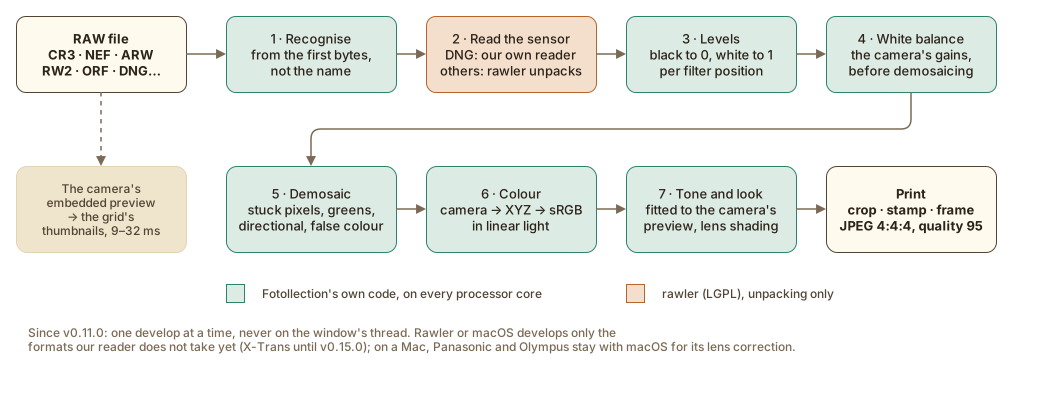
    A RAW photo, from the file to the print
    A RAW photo, from the file to the print
  6. v0.9

    Three modes

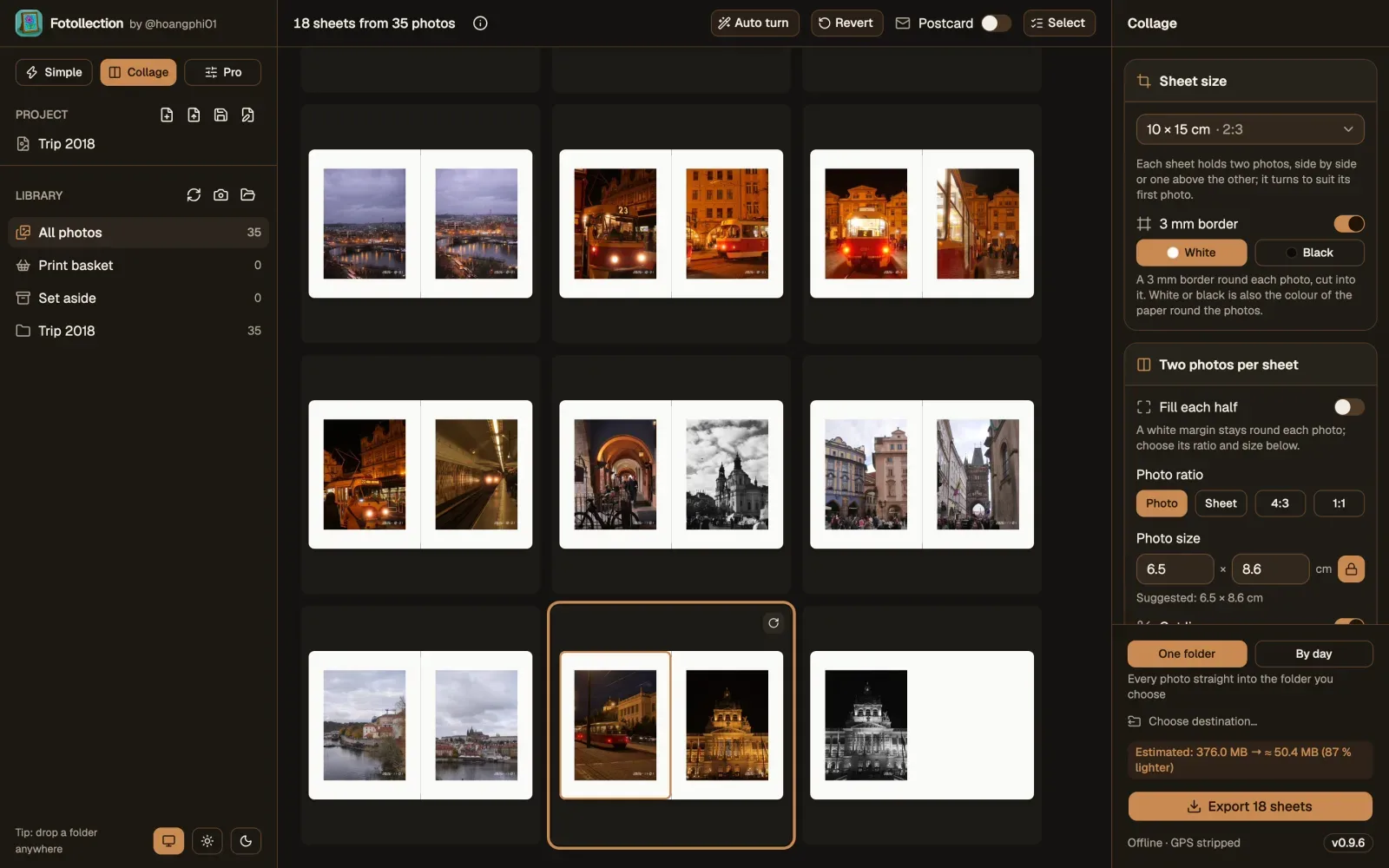
    • Simple, Collage and Pro: one photo full screen, two photos on one print, or every tool.
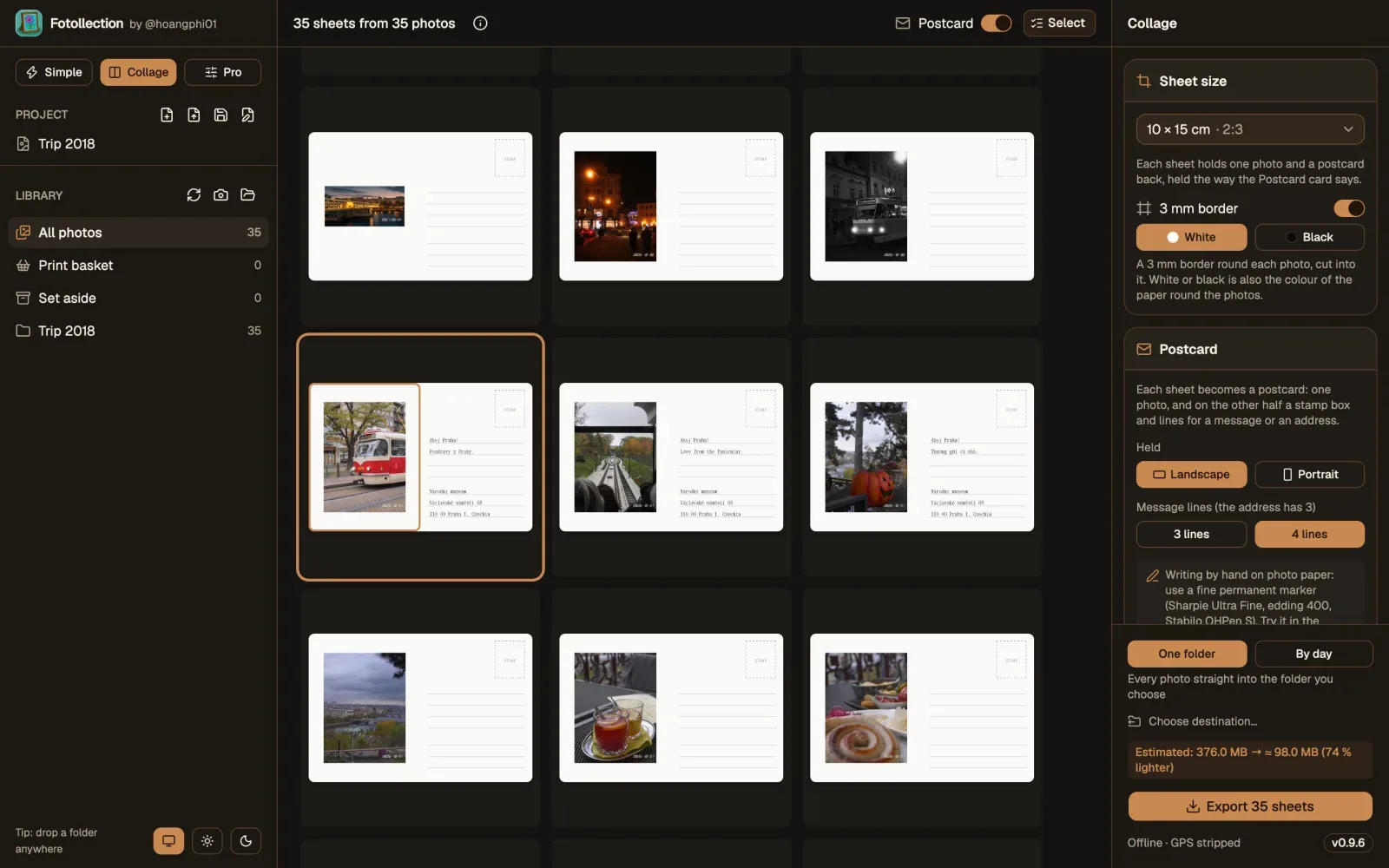
    • Postcards: a photo on one side, the back with a stamp box and your words.
    • The first colour cards, Faves and Tools, with Before and After.
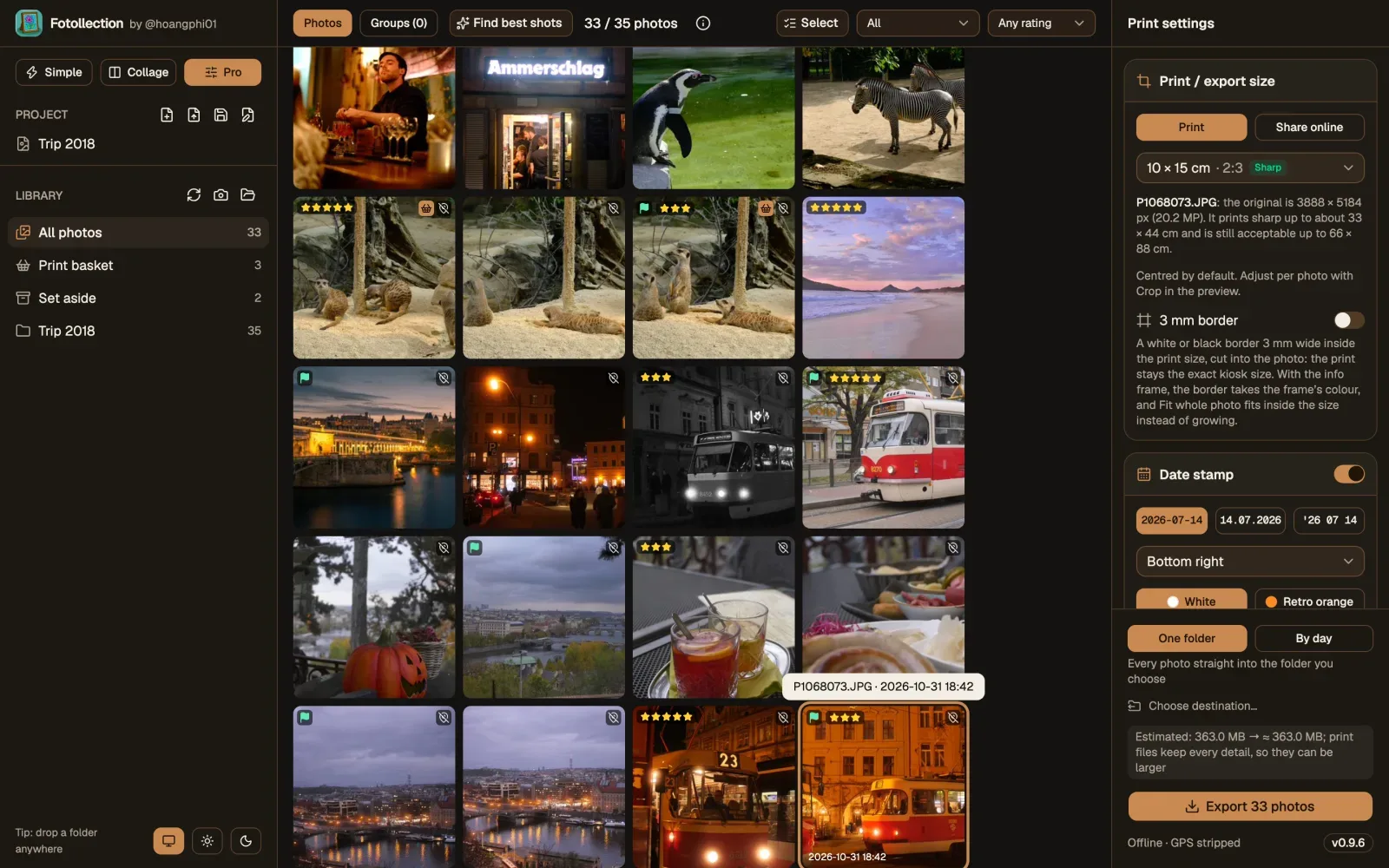
    v0.9.9: the three modes above the library
    v0.9.9: the three modes above the library
    v0.9.9: two photos on one print in Collage mode
    v0.9.9: two photos on one print in Collage mode
    v0.9.9: a postcard and its back
    v0.9.9: a postcard and its back
  7. v0.8

    Places and Lightroom2,3

    • Dates and places by hand, or borrowed from your phone's photos of the same scene.
    • Stars and rejects come in from Lightroom, Bridge, Capture One and darktable.
    • RAW read by Fotollection itself; Linux joins Windows and macOS.
    v0.8.3: the gallery
    v0.8.3: the gallery
    v0.8.3: best shots grouped
    v0.8.3: best shots grouped
  8. v0.7

    Open with, and RAW4,5

    • Camera RAW opens as it is: RW2, CR2, CR3, NEF, ARW, RAF, ORF and DNG.
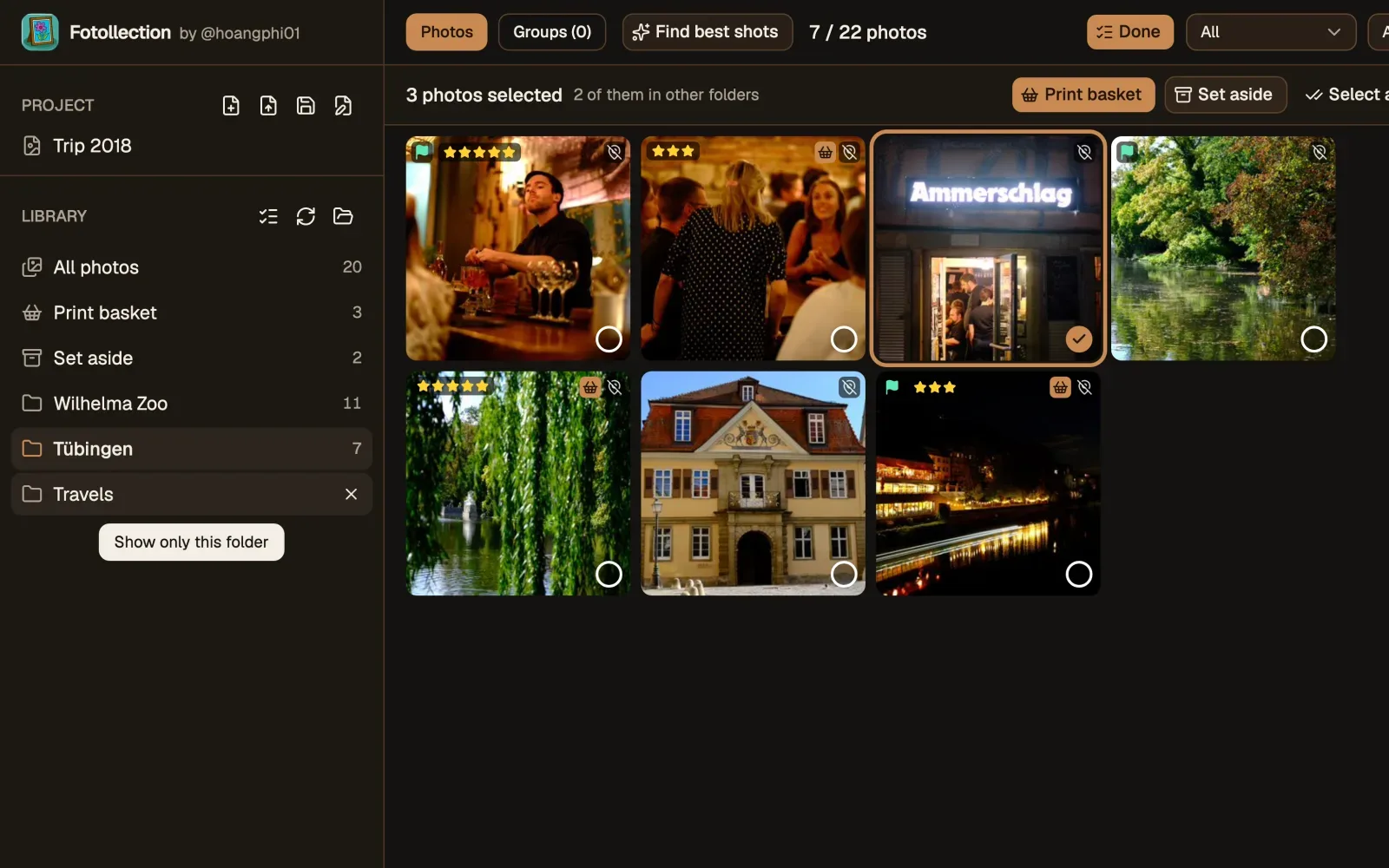
    • Open photos from Finder or Explorer with Fotollection; ticks follow you across folder tabs.
    v0.7.0: the gallery
    v0.7.0: the gallery
    v0.7.0: folders as tabs
    v0.7.0: folders as tabs
  9. v0.6

    The photo viewer6

    • Zoom buttons and full detail when you zoom in; a start-up screen with the logo.
    • Measured: Fotollection opens in about 0.4 s; a 32 MP photo zooms in about 0.1 s.
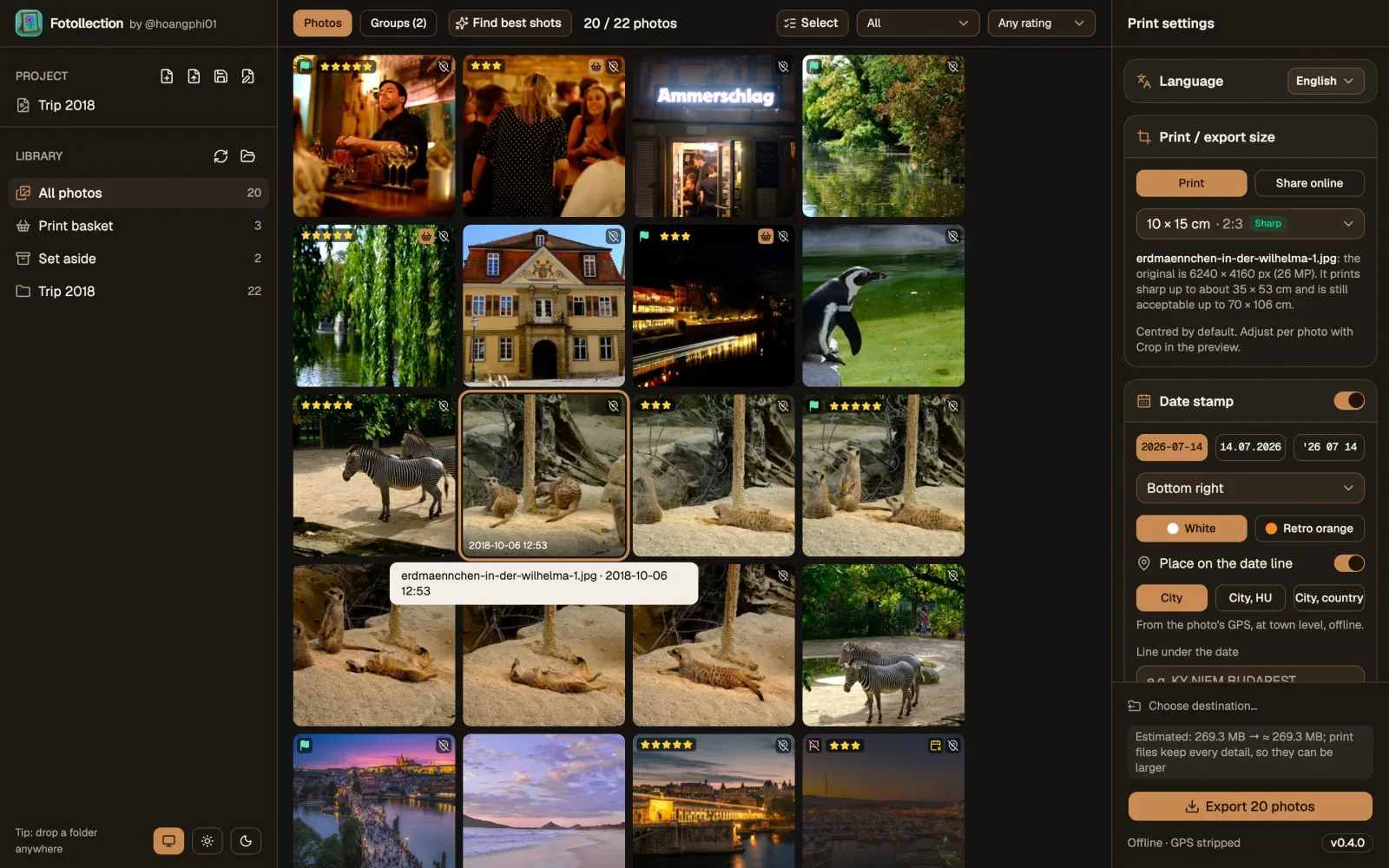
    v0.6.0: the gallery
    v0.6.0: the gallery
  10. v0.5

    The print basket

    • A print basket and a place to set photos aside: ↑ and ↓ in the preview, or Select in the gallery.
    • Hold Space for a quick preview; the export says its size before it starts.
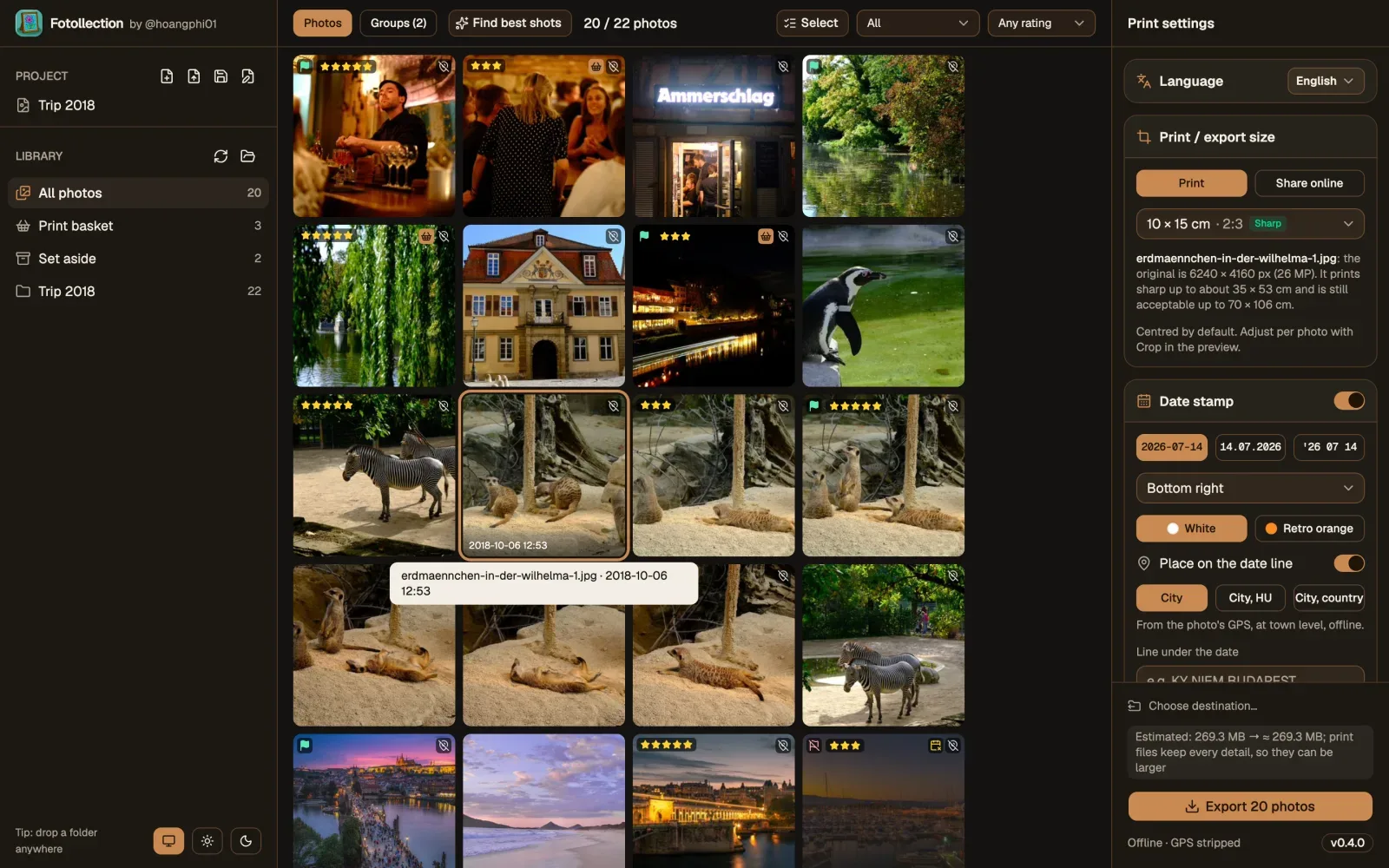
    v0.5.0: the print basket and Set aside in the library
    v0.5.0: the print basket and Set aside in the library
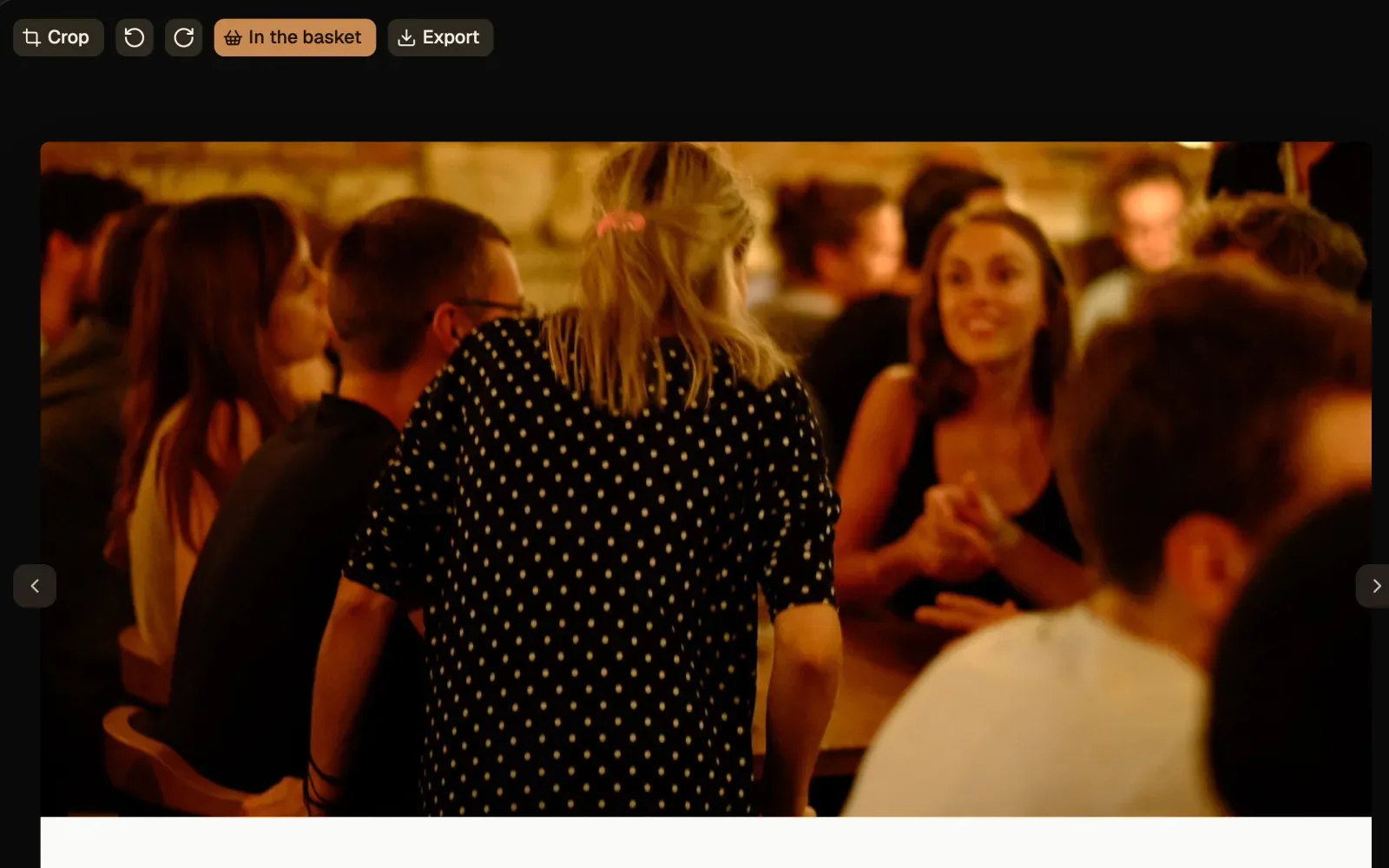
    v0.5.0: a photo going into the print basket
    v0.5.0: a photo going into the print basket
  11. v0.4

    Sharing and folders7

    • Export for social media in sRGB, never with GPS.
    • Folders work like tabs; zoom with a pinch; drag the photo to reframe it, or fit it whole like an instax print.
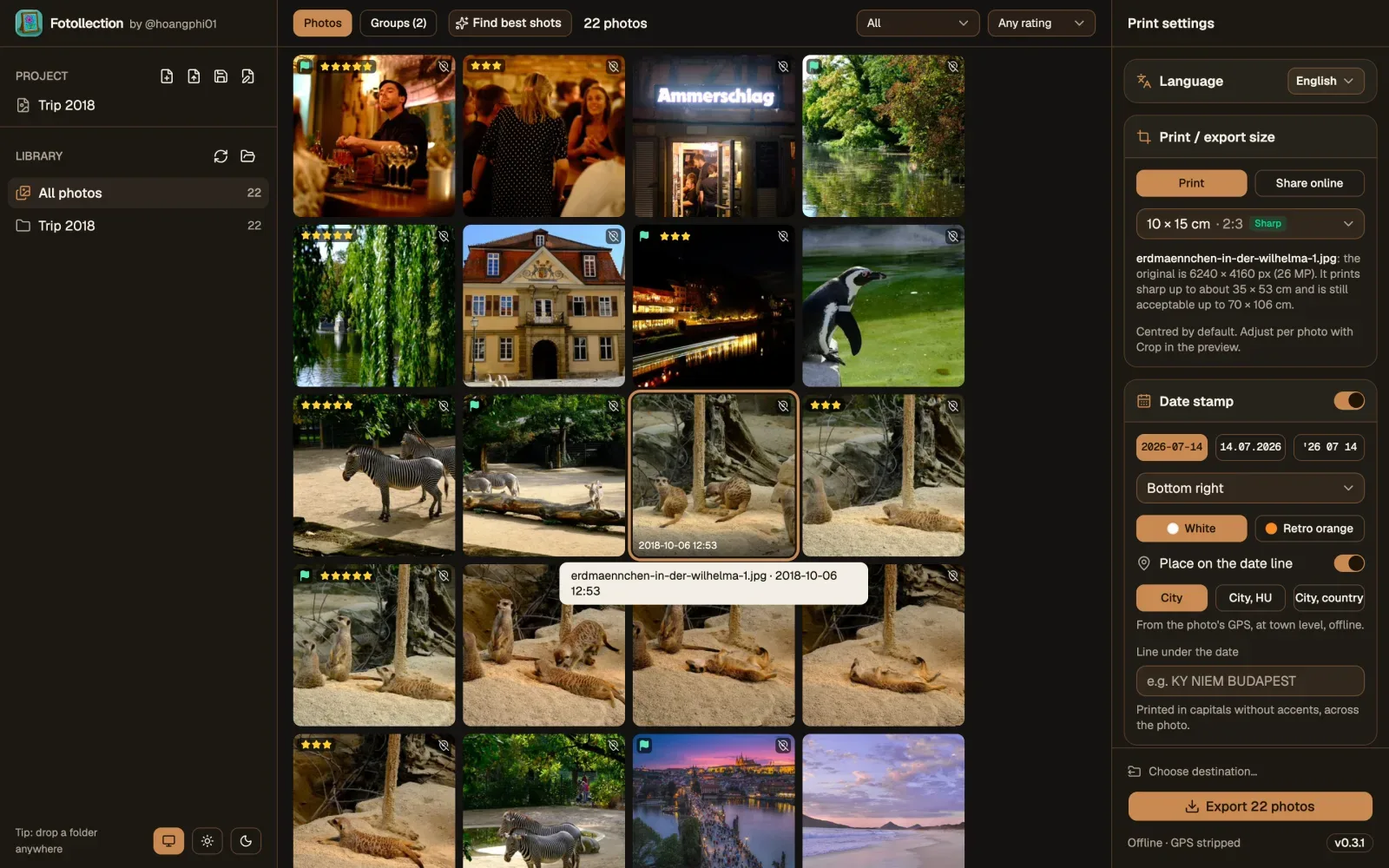
    v0.4.0: the library with All photos and folders
    v0.4.0: the library with All photos and folders
  12. v0.3

    Settings as cards

    • The settings in cards, lines in the theme's colour, the same fonts on Windows as on macOS.
    • A logo size for the info frame, the same for every photo.
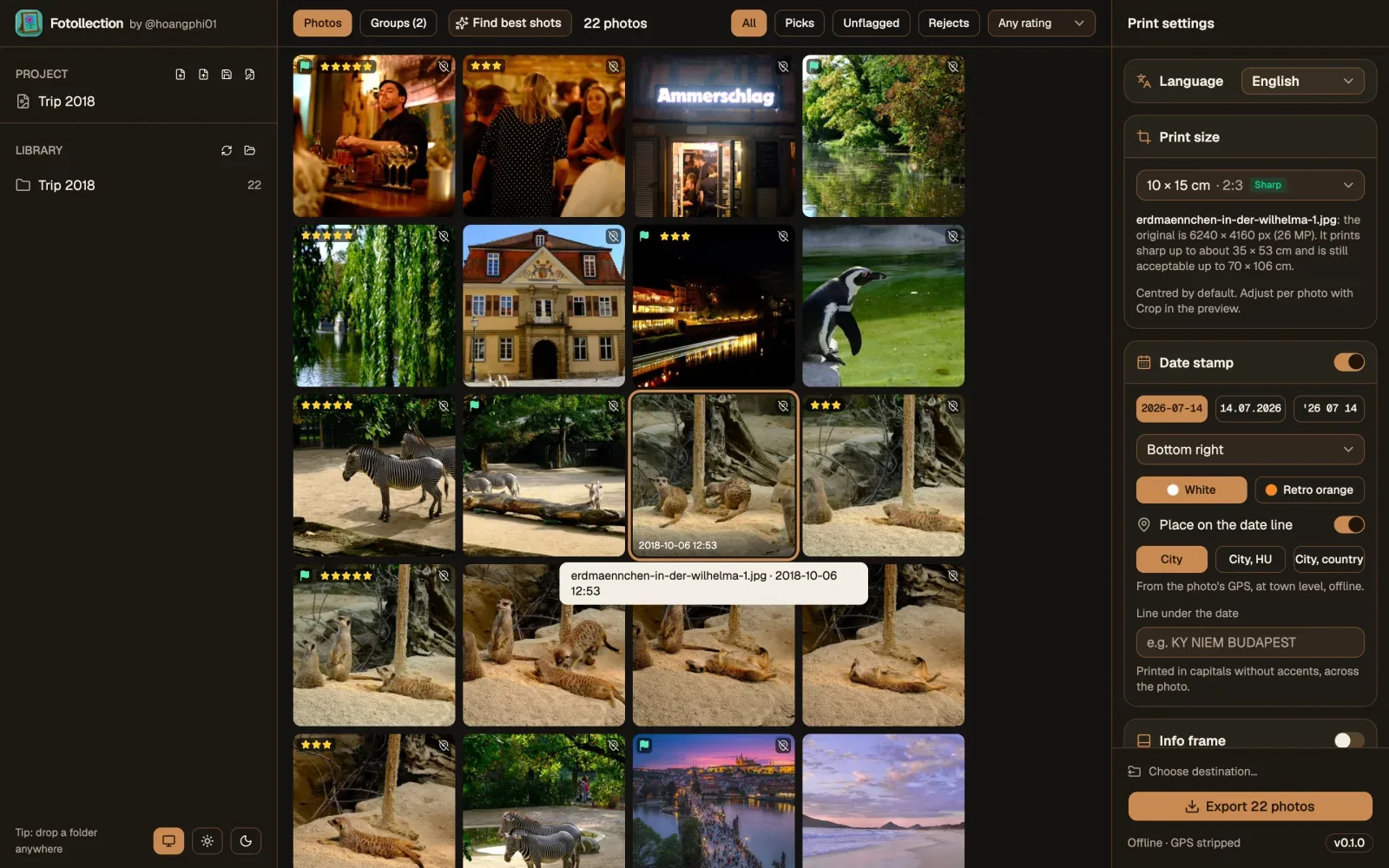
    v0.3.1: the settings as cards
    v0.3.1: the settings as cards
  13. v0.2

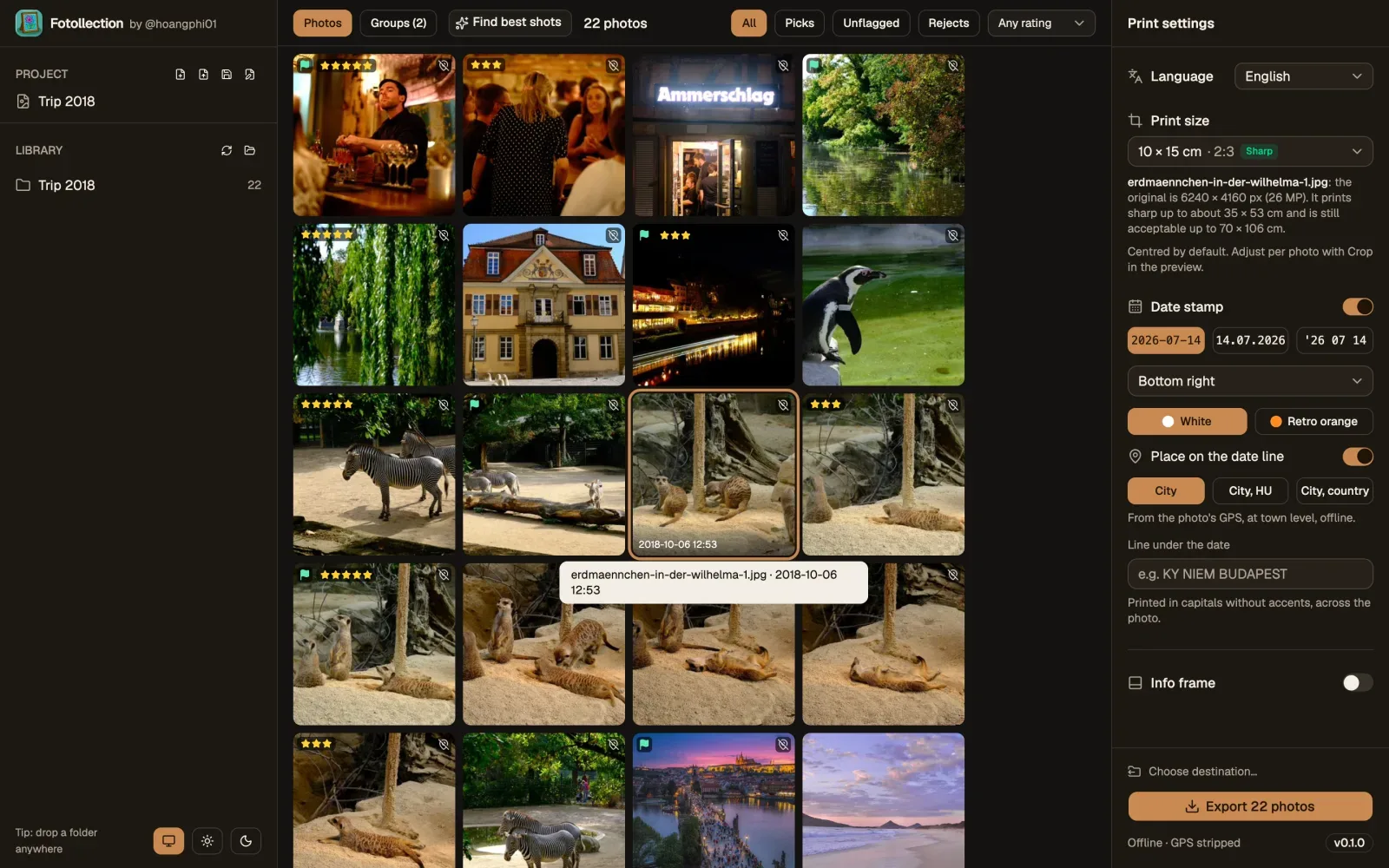
    Light and dark

    • A System, Light or Dark theme, one accent each: teal in light, wood in dark.
    • The Windows title bar in Fotollection's colours; a folder closes like a tab.
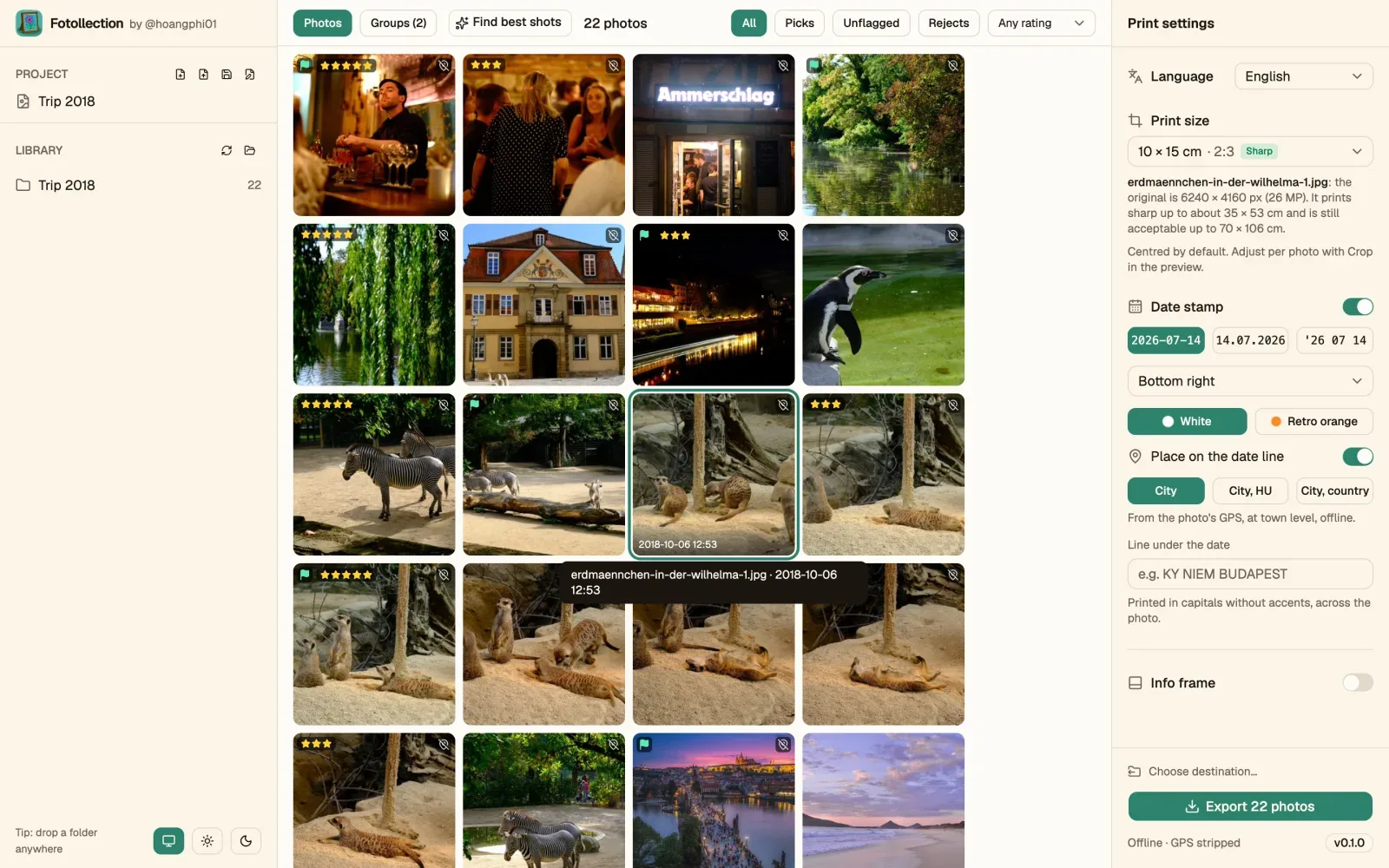
    v0.2.0 in the light theme
    v0.2.0 in the light theme
    v0.2.0 in the dark theme
    v0.2.0 in the dark theme
  14. v0.1

    First public preview

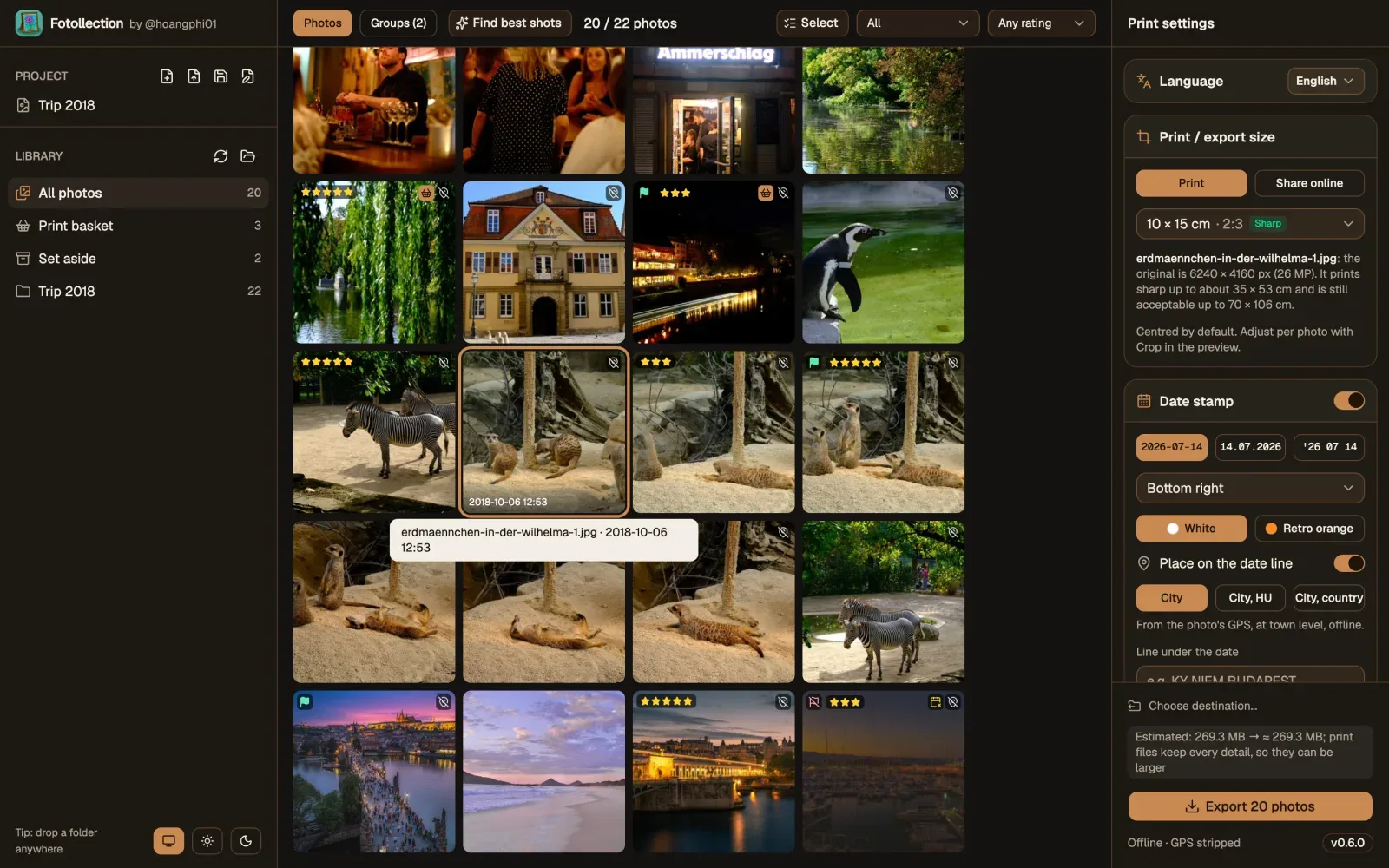
    • For macOS and Windows, in English and Vietnamese.
    • Best-shot suggestions, a film-style date stamp with offline place names, a camera info frame.
    • Crop to print sizes with rotate and straighten; export at the original quality.
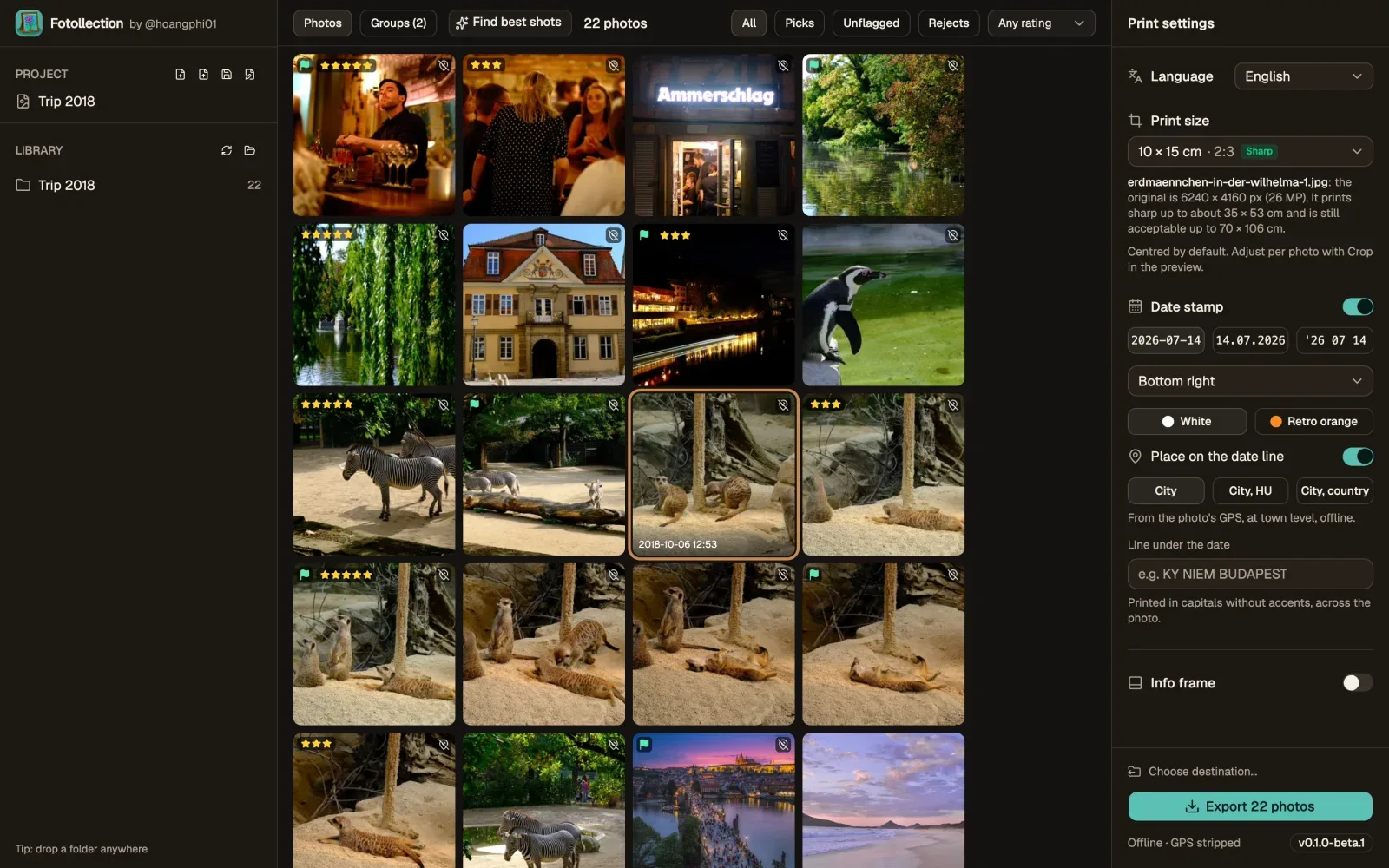
    v0.1.0: the gallery and the print settings
    v0.1.0: the gallery and the print settings
  15. v0.1.0-beta.1

    The first screen

    • One window: a library on the left, print settings on the right, and Open folder.
    • A day later the first beta found best shots, stamped the date and exported to print.
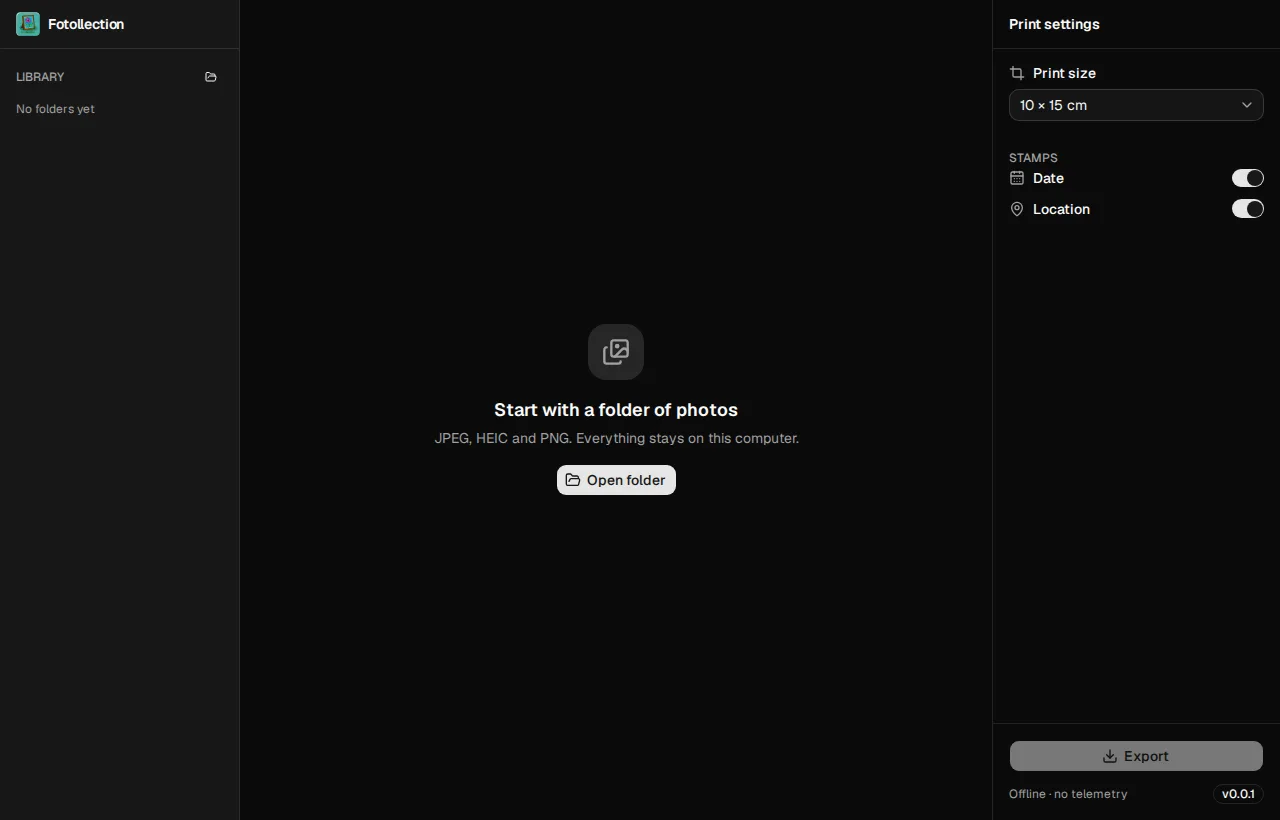
    The very first screen: an empty library and Open folder
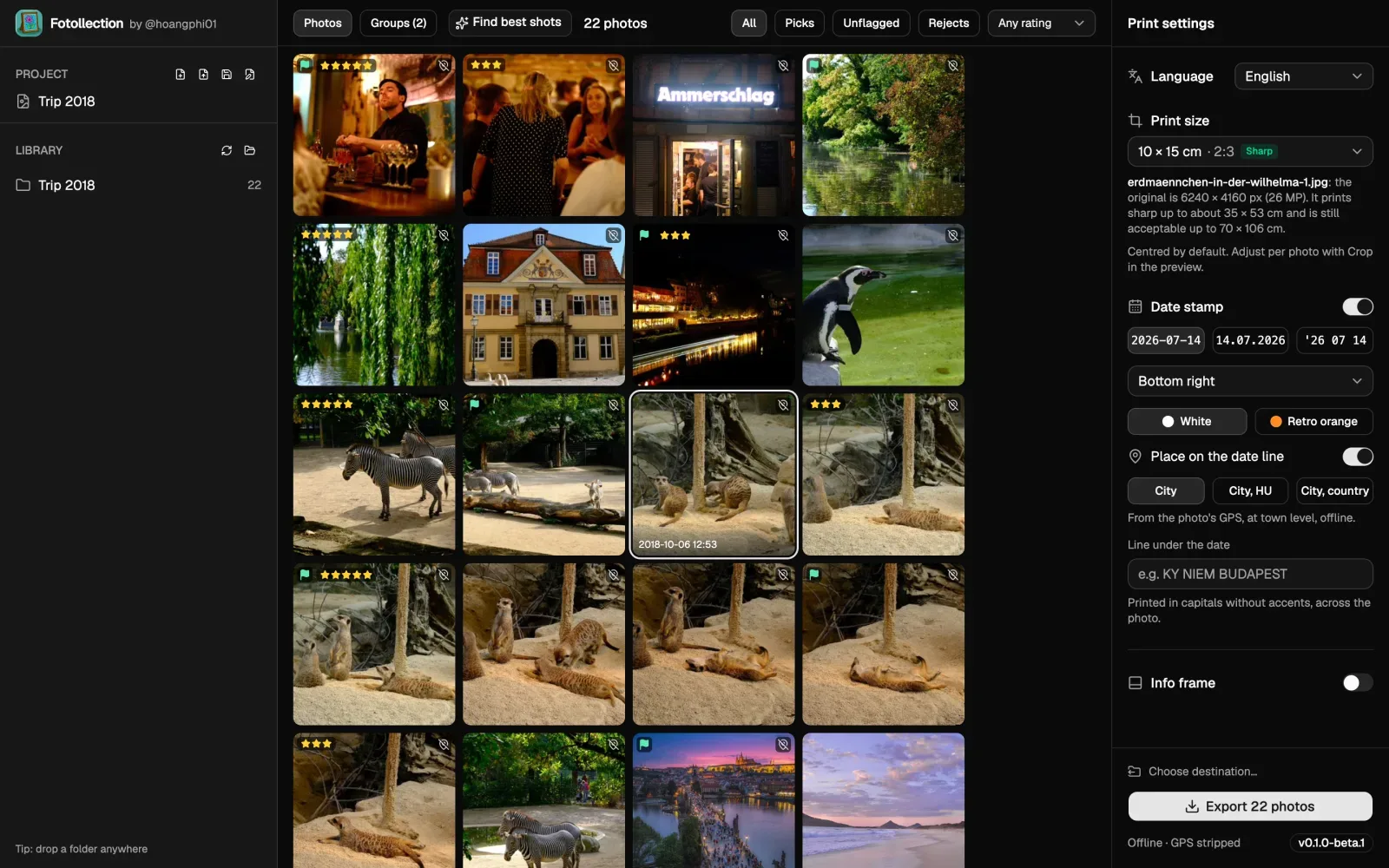
    The very first screen: an empty library and Open folder
    The first beta's gallery with its print settings
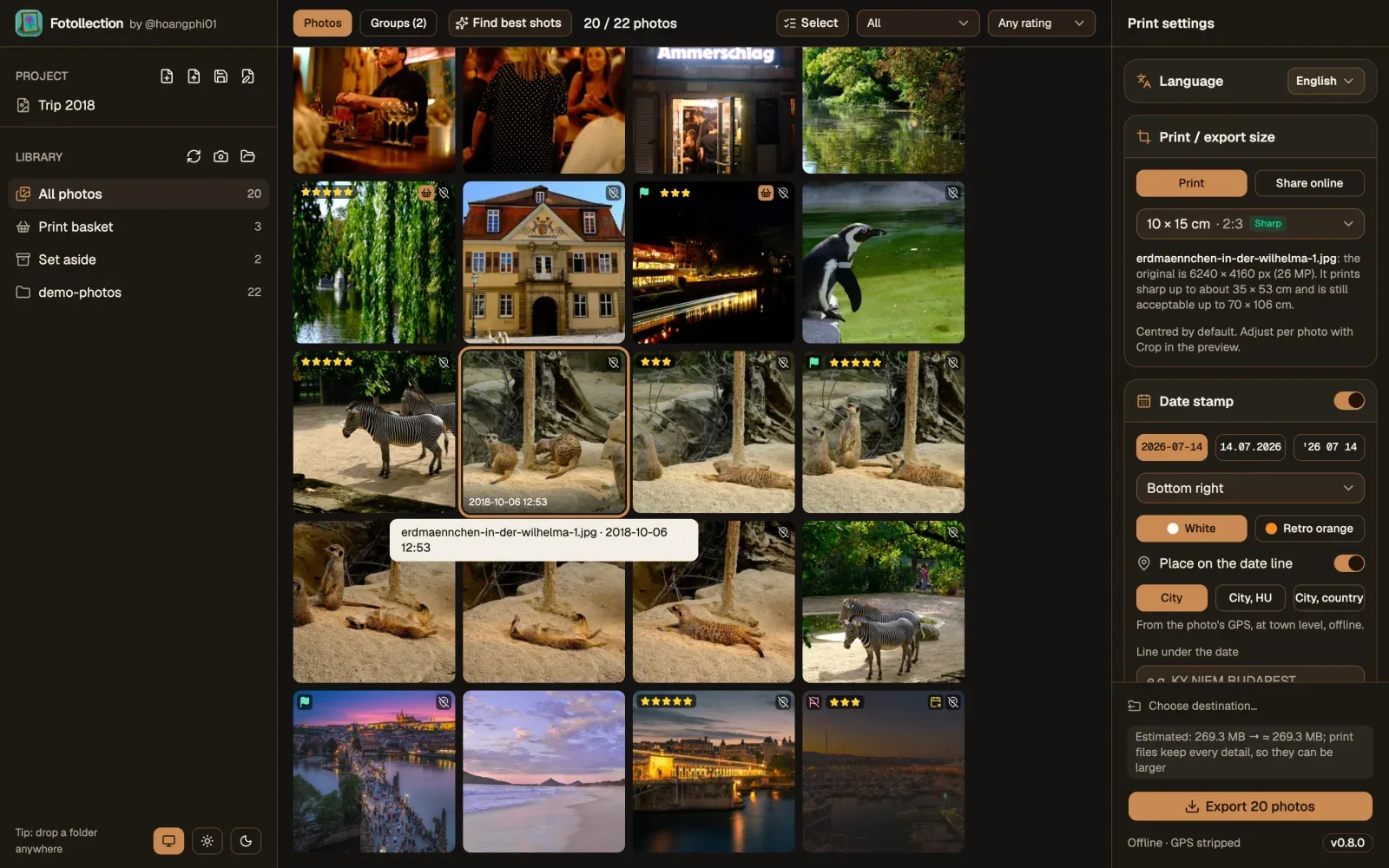
    The first beta's gallery with its print settings
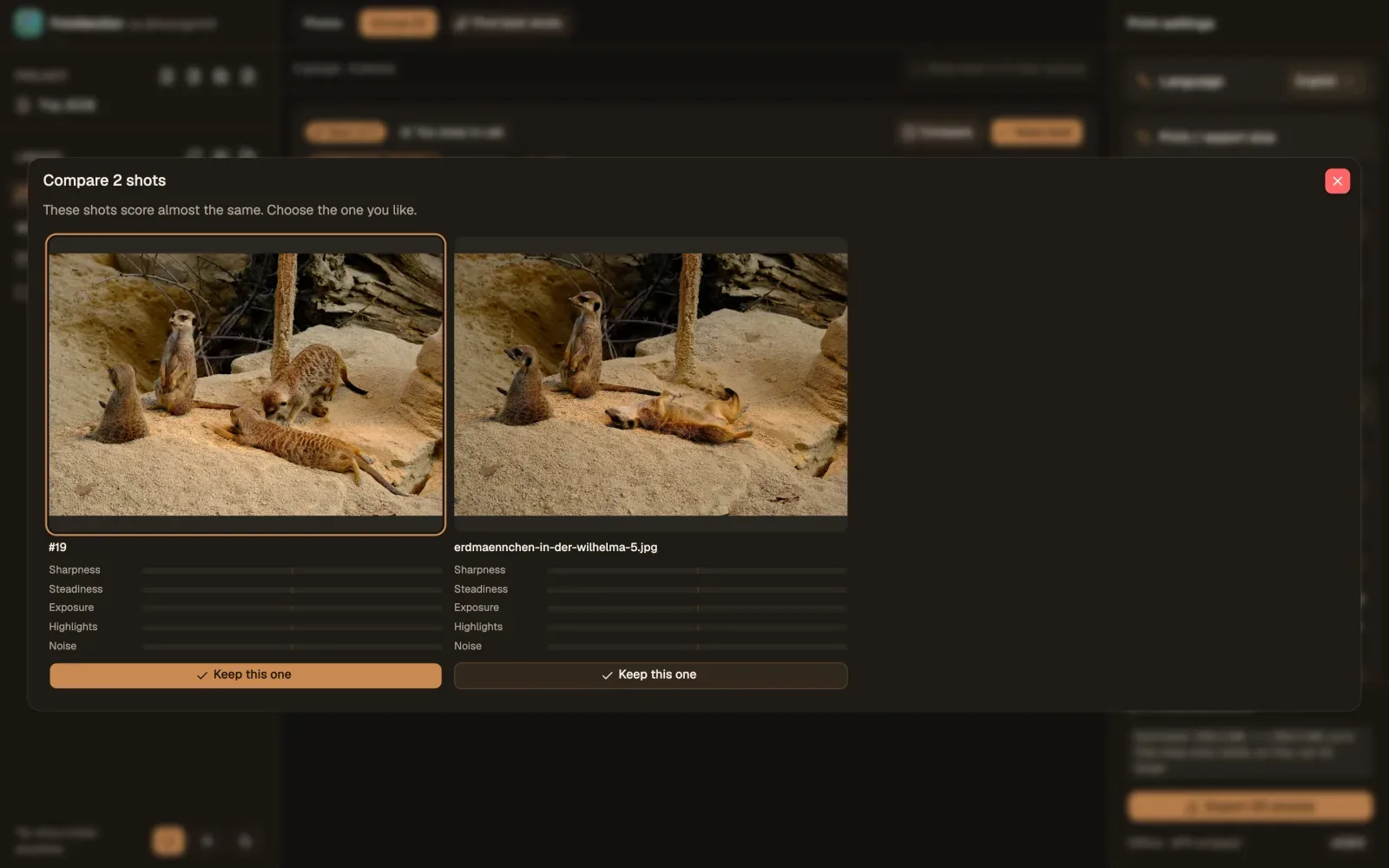
Each picture is Fotollection as that version shipped, taken from the project's history; the earliest are in English only. A new version adds its own here.

  1. 1. A LUT (look-up table) gives each colour the colour it becomes; Fotollection reads .cube files and HaldCLUT images. LUMIX is a trademark of Panasonic Holdings Corporation; Fotollection is not connected with or endorsed by Panasonic.
  2. 2. Adobe, Lightroom and Lightroom Classic are trademarks of Adobe Inc. in the United States and other countries. Fotollection is not connected with or endorsed by Adobe; it follows the keys and layout people who use Lightroom already know. The Lightroom logo is shown from Wikimedia Commons, where it is in the public domain as a text logo.
  3. 3. Creative Cloud is a trademark of Adobe Inc.; darktable and RawTherapee are free software projects of their own communities. The facts come from darktable.org and its user manual, rawtherapee.com, Adobe's Lightroom Classic help and Wikipedia's summary of Adobe's licensing and requirements, checked on 14 November 2026. Fotollection is not connected with any of them.
  4. 4. A RAW file holds what the camera's sensor recorded before the camera turned it into a picture, so colour, brightness and detail can still be decided later, much as a negative is developed. Each maker has its own format (CR3 for Canon, NEF for Nikon, ARW for Sony, RW2 for Panasonic and others); DNG (Digital Negative) is the open RAW format published by Adobe.
  5. 5. RAW formats named on this site belong to the camera makers that define them: RW2 (Panasonic Holdings Corporation), CR2 and CR3 (Canon Inc.), NEF (Nikon Corporation), ARW (Sony Group Corporation), RAF (FUJIFILM Corporation) and ORF (OM Digital Solutions Corporation, formerly Olympus). DNG is an open specification published by Adobe Inc. Fotollection reads them through a reader built into Fotollection, and on macOS through the system's codecs first (on Windows, Microsoft's Raw Image Extension is a last fallback when installed); it is not made or endorsed by any of these companies.
  6. 6. Units: px is a pixel, one dot of an image; MP (megapixel) is a million pixels, so a 20 MP photo is about 5,472 × 3,648 px; ms is a millisecond, a thousandth of a second; MB and GB are megabytes and gigabytes; RAM (random-access memory) is the computer's working memory.
  7. 7. sRGB was created by HP and Microsoft in 1996 and standardised as IEC 61966-2-1.

The photo services at dm and Rossmann are made by CEWE, a trademark of CEWE Stiftung & Co. KGaA. Print sizes were checked against dm's price list in October 2026; the shops may change them.

The Prague photos in the screenshots (the trams, the streets, the Vltava) were taken by @hoangphi01 on a Lumix GX9 in November 2026: © @hoangphi01, all rights reserved. They are not covered by the app's licence and may not be reused. The other demo photos are in the public domain (CC0) on Wikimedia Commons, by Dktue (7 photos), Pierre Blaché from Paris, France (2) and Kate Branch (1). The cat in the print-basket and best-shot screenshots was also photographed by @hoangphi01 on the GX9, all rights reserved; the softer, shaken and darker copies beside it were made from that one photo, to show how the best shot is chosen. Every file, its page and its checksum.

The RAW measurements use nine samples in the public domain (CC0) from raw.pixls.us, one per format; scripts/fetch-raw-samples.py downloads and checks them.

RAW formats named on this site belong to the camera makers that define them: RW2 (Panasonic Holdings Corporation), CR2 and CR3 (Canon Inc.), NEF (Nikon Corporation), ARW (Sony Group Corporation), RAF (FUJIFILM Corporation) and ORF (OM Digital Solutions Corporation, formerly Olympus). DNG is an open specification published by Adobe Inc. Fotollection reads them through a reader built into Fotollection, and on macOS through the system's codecs first (on Windows, Microsoft's Raw Image Extension is a last fallback when installed); it is not made or endorsed by any of these companies.

Camera names and logos in the screenshots and in the app's info frame are trademarks of their owners, used only to show which camera took a photo: Apple (Apple Inc.), Canon (Canon Inc.), Fujifilm (FUJIFILM Corporation), Hasselblad (Victor Hasselblad AB), Leica (Leica Camera AG), Lumix (Panasonic Holdings Corporation), Nikon (Nikon Corporation), Noritsu (Noritsu Koki Co., Ltd.), Phase One (Phase One A/S), Ricoh (Ricoh Company, Ltd.), Samsung (Samsung Electronics Co., Ltd.) and Sony (Sony Group Corporation).

Apple and macOS are trademarks of Apple Inc.; Windows of Microsoft Corporation; Linux is the registered trademark of Linus Torvalds in the U.S. and other countries; Ubuntu of Canonical Ltd.; Debian of Software in the Public Interest, Inc.; Fedora, Red Hat, RHEL and CentOS of Red Hat, Inc.; openSUSE of SUSE LLC; Pop!_OS of System76, Inc.; Rocky Linux of the Rocky Enterprise Software Foundation; AlmaLinux of the AlmaLinux OS Foundation; ChromeOS of Google LLC; NVIDIA of NVIDIA Corporation; the names of the other Linux distributions belong to their projects; Facebook and Instagram of Meta Platforms, Inc.; GitHub of GitHub, Inc.; Google Analytics of Google LLC; Lightroom of Adobe Inc.; IrfanView of Irfan Škiljan; VietQR of NAPAS; Wikimedia Commons of the Wikimedia Foundation. The Apple, Windows and Linux (Tux, first drawn by Larry Ewing) marks are drawn from Simple Icons (CC0) and only show which system a column or a step is about.

Fotollection is an independent open-source project. It is not affiliated with, sponsored or endorsed by any of these companies, and every other trademark belongs to its owner.

The Fotollection name and logo identify the official app, made by @hoangphi01. Official downloads come only from fotollection.org and the project's GitHub releases. The GPL-3.0 licence lets anyone share or sell copies, changed or not, as long as they keep this licence and offer the source code; a changed or resold copy must not use the Fotollection name or logo in a way that suggests it is the official app.

Sharing or selling Fotollection, or building on it? Please tell the author first by opening an issue on GitHub (github.com/hoangphi01/fotollection/issues). The app is free and made in spare time; a short note is the fair way to say thanks.

Quoting, reviewing or showing the app, or using these screenshots? Please credit Fotollection and link to fotollection.org.